Stock counts never match
When sales and purchases are written in different places, the register and the shelf drift apart.
Stock moves when you buy, sell or transfer, and every item is valued at what it cost you — so the number on screen matches the shelf.
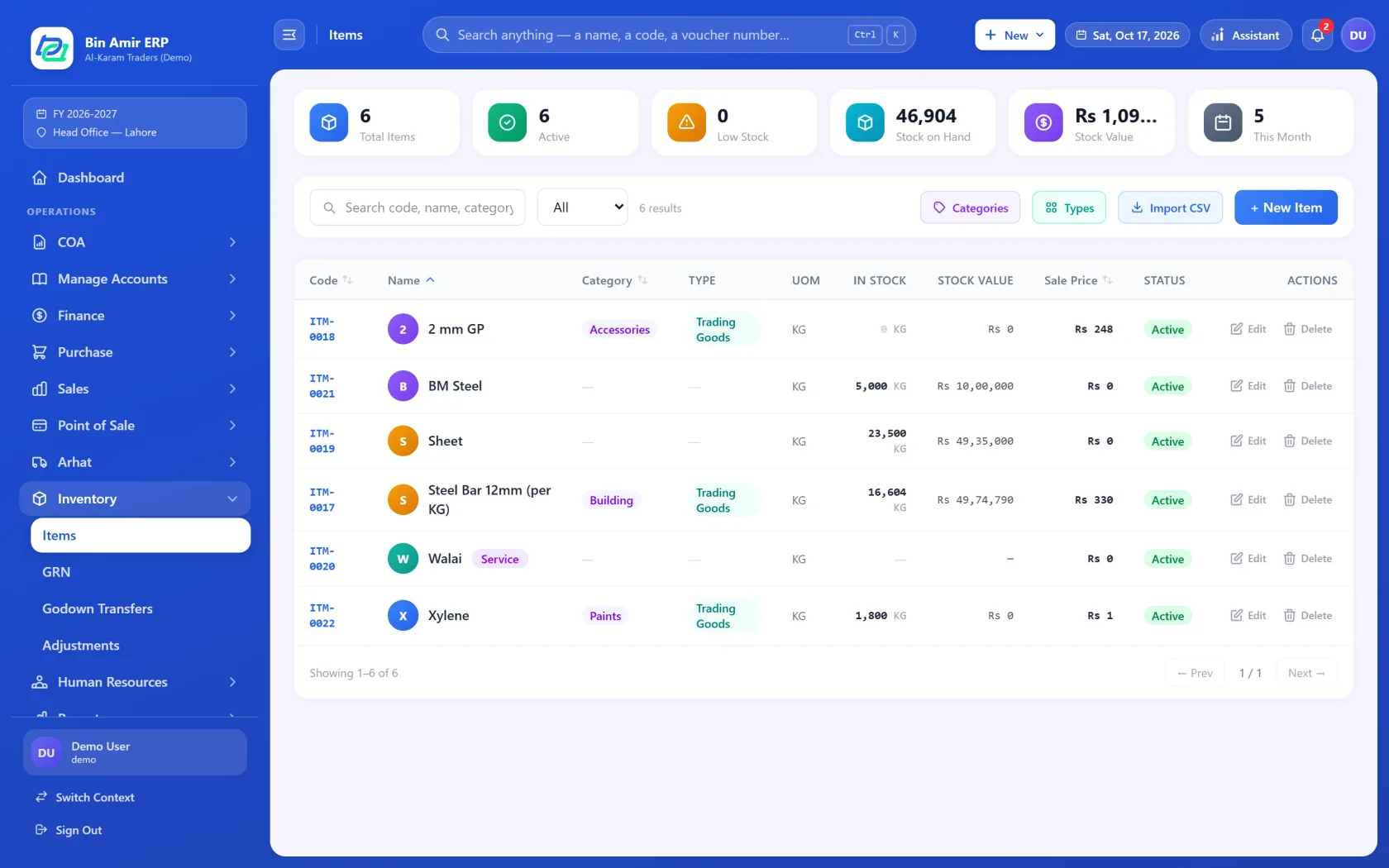
When sales and purchases are written in different places, the register and the shelf drift apart.
Without a warning, a best-selling item is out of stock before anyone notices.
Without cost per item, the value of stock is a guess.
Stock per location, and transfers between them.
Purchases add stock, sales take it out, returns put it back — no separate stock entry.
Every item carries its cost, so stock value and profit are real.
See what is running low before it runs out.
Take stock in or out without an invoice, with a printed slip for the record.
Bring your item list in from a spreadsheet instead of typing it.
Fill in the short form. It takes two minutes.
We show you the screens you will actually use, on a call or at your office.
We bring in your parties, items and opening balances, so you start working on day one.
Yes. Stock is kept per location and moved between them with transfers.
At cost, item by item, from what you paid for it.
Yes, from a spreadsheet.
Yes. A posted sales invoice takes the goods out of stock, and a return puts them back.
Request a demo and someone from our team will show you the screens you would actually use, set up for your kind of business.